Store and organize
Create folders and upload multiple files at once. Keep policies, forms, meeting materials and other association documents in one library.
Upload your association’s existing files and let TapHero’s AI automatically catalog and organize them into a searchable library. Find what you need, share it with the right people, and eliminate hours of manual filing.
Schedule a demo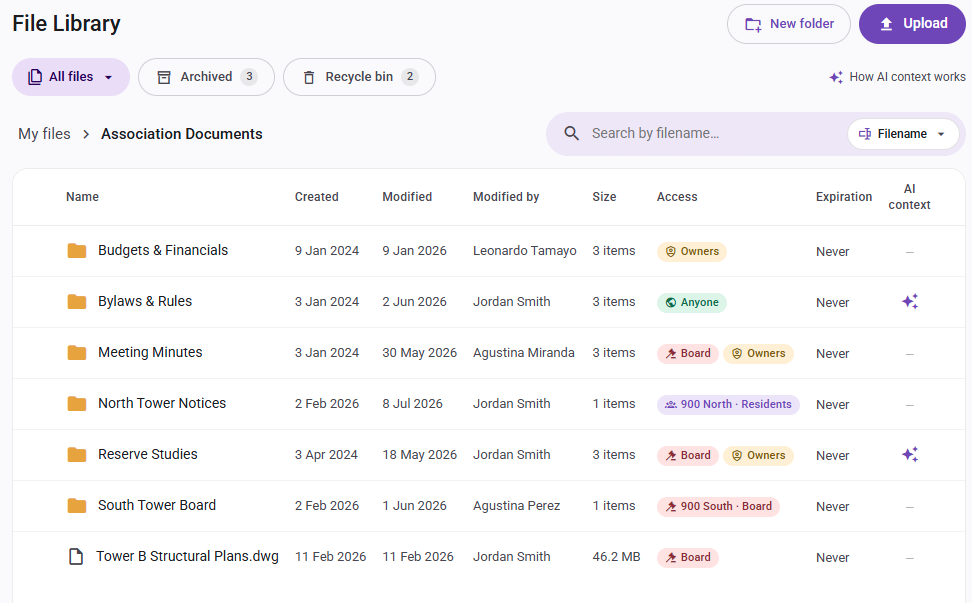
Upload your association’s existing documents, even years of accumulated records. TapHero’s AI names files based on their context, catalogs them, and organizes them into a logical folder structure—eliminating the need to sort, rename, and file everything manually.
Turn days or weeks of manual organizing into a simple upload.
Keep community information together while controlling who can access each file or folder.
Create folders and upload multiple files at once. Keep policies, forms, meeting materials and other association documents in one library.
Choose Board Members, Owners, All Residents or Anyone. Apply access rules to a folder or adjust individual files as needed.
Send secure links that expire after one to 90 days. When a file is deleted, existing links to it stop working.
Find the answer inside the file
Search by filename, document text or meaning. TapHero also extracts text from scanned PDFs so the information inside them can be searched.
A resident asks about pet rules. Search by describing what you need, find the policy and attach it to your Helpdesk reply. TapHero warns you if the recipient lacks access.
When preparing a violation notice, TapHero automatically cites the relevant bylaws and links to the exact document. Your team can review the notice and its source before sending.
Find meeting minutes, reserve studies and other board materials in one library. Organize them in folders and set Board Members access so the right people can open them.
Connected to resident support
When someone asks a question or requests a document, the AI Helpdesk can reference association files, check access and prepare a response. Your team can review the response, its sources and the access match before sending.
Explore the AI Helpdesk →Questions, answered
The File Library supports community policies, reserve studies, meeting materials, forms, rules, procedures and vendor documents used by association teams.
Yes. Set a file or folder’s audience to Board Members, Owners, All Residents or Anyone. Board-only access keeps those materials limited to the appropriate members.
Deleted documents remain in the Recycle Bin for 30 days, giving your team time to restore them.
Yes. Set expiration dates for files that should be available only for a specific period.
Teams can use File Library documents in Helpdesk replies and Communicate messages. Approved documents also support AI Helpdesk answers, with access checked for the person requesting the information.
See how TapHero helps your team organize, find and share association information.